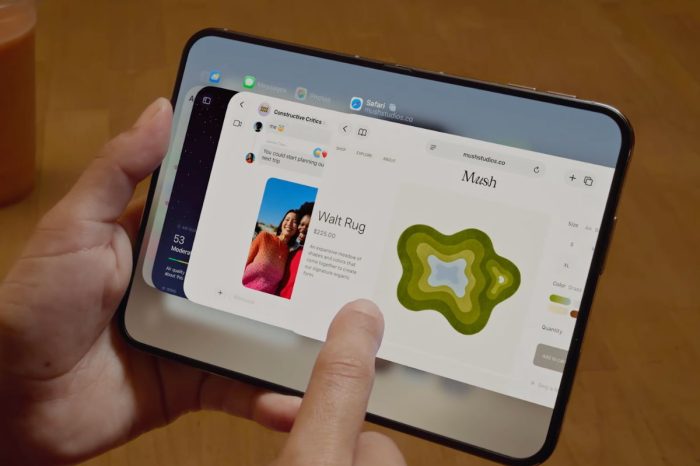
iOS 27 officially launches later today, but there is a way to install Apple’s major new iPhone software update right now without waiting for the public rollout.
Apple released the iOS 27 Release Candidate to developers and public beta testers last week. The Release Candidate, sometimes referred to as the Golden Master, is the build Apple intends to release publicly, provided no last-minute problems are discovered that require a replacement build.
That means iPhone users who don’t want to wait for the public release can enroll in Apple’s free developer beta program, install the iOS 27 Release Candidate, and then turn beta updates off once iOS 27 has officially launched.
How to install iOS 27 now
Apple no longer requires users to pay for the Apple Developer Program simply to access developer beta software. A free Apple Account registered for developer access is enough to make the developer beta option available on supported devices.
After enrolling, open Settings, select General, tap Software Update, then select Beta Updates. Choose the iOS 27 Developer Beta channel and return to Software Update. The iOS 27 Release Candidate should then appear for download.
As with any major software update, backing up your iPhone before installing is sensible. The Release Candidate is still technically prerelease software until Apple ships the public version, and Apple can issue another RC if a serious problem is discovered before launch.
If the current Release Candidate is the same build Apple releases publicly, there should be no need to reinstall iOS 27 later. Once the public release is available, users who don’t want future beta versions can return to Settings > General > Software Update > Beta Updates and select Off. The iPhone will then remain on the normal public software update track.
Apple’s iOS 27 update brings major new features to the iPhone, including Siri AI and a range of smaller changes across Apple’s built-in apps. We’ve also covered whether you should install iOS 27 immediately or wait if you’re deciding whether upgrading on day one is worthwhile.
Users should remember that enrolling in the developer beta channel can expose a device to future prerelease builds if Beta Updates are left enabled. If you’re only using the developer channel to get the iOS 27 Release Candidate early, switch Beta Updates off after installing it and once the public release has arrived.